
Australia
KeyPay Australian Payroll
The KeyPay Module synchronizes payslip accounting entries (e.g., expenses, social charges, liabilities, taxes) from KeyPay to openAPPone automatically. Payroll administration is still done in KeyPay. We only record the journal entries in openAPPone.
Configuration Steps
Create a company located in Australia.
Check that the Australian localization module (Australia - Accounting) is installed.
Configure the KeyPay API.
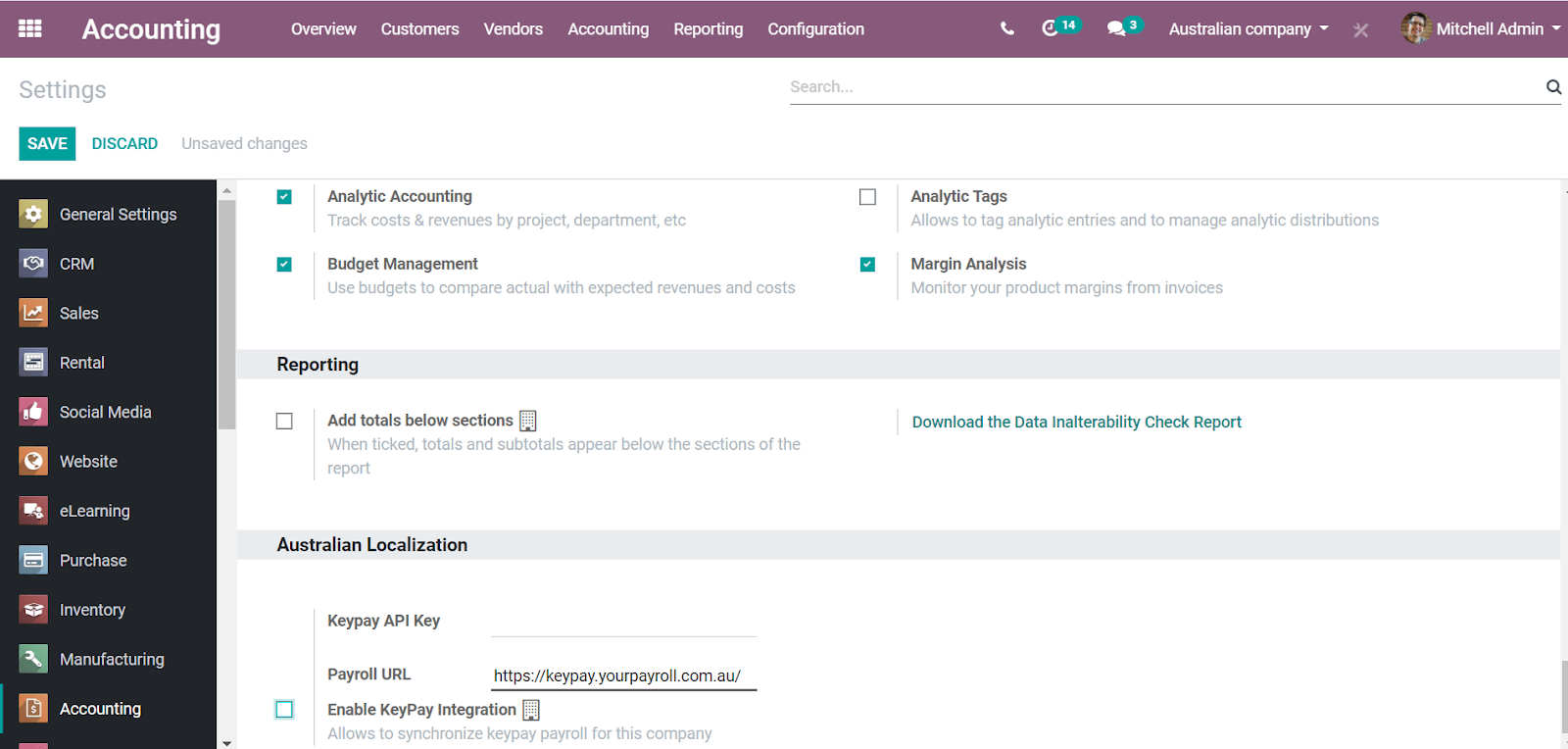
More fields become visible after clicking on Enable KeyPay Integration.
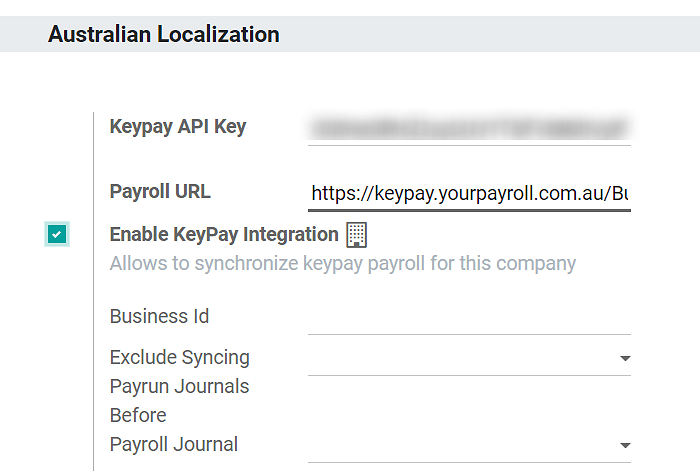
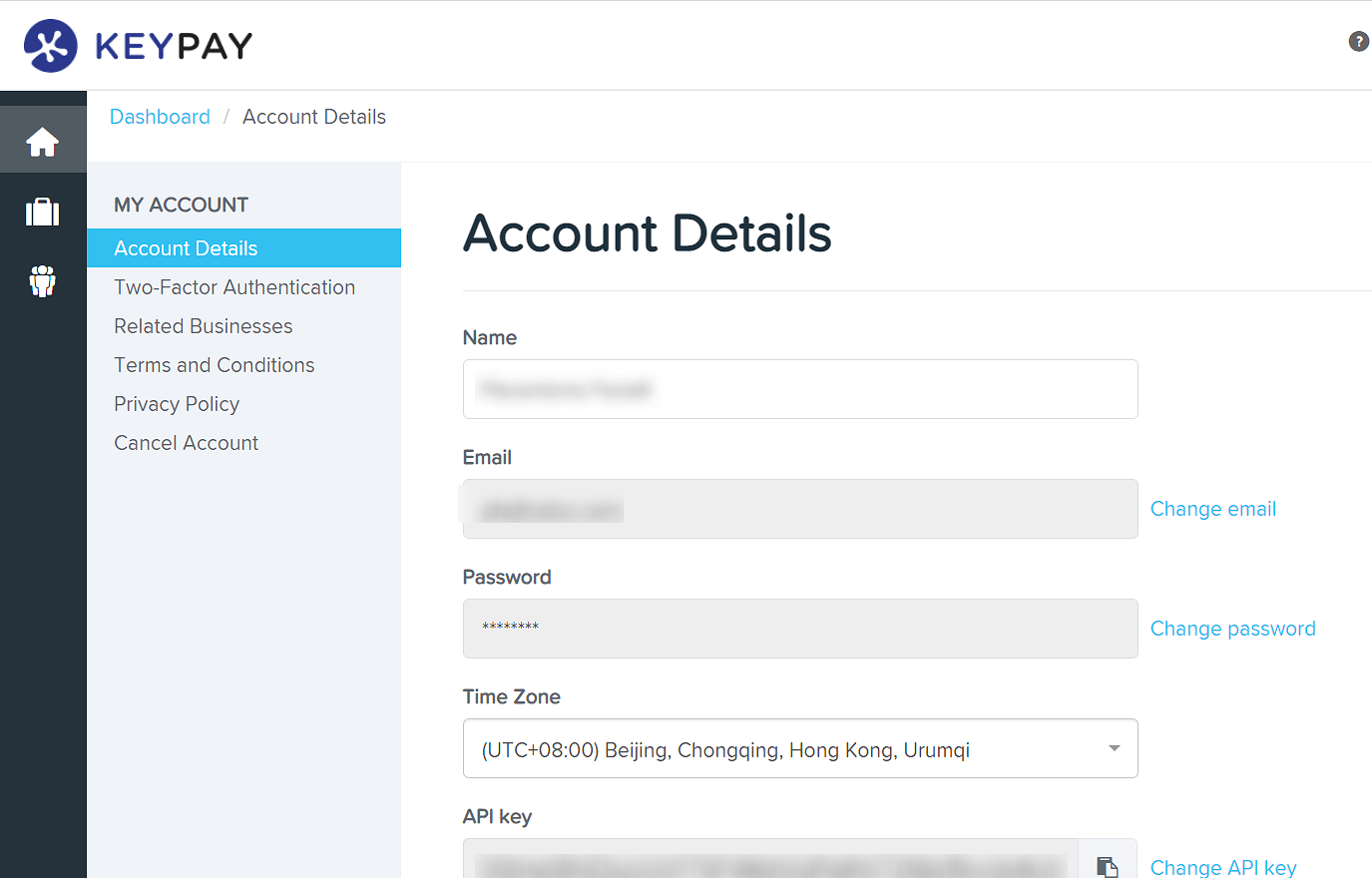
You can find the API Key in the My Account section of the KeyPay platform.
The Payroll URL is pre-filled with
https://keypay.yourpayroll.com.au. Please do not change it.You can find the Business ID in the KeyPay URL. (i.e.,
189241)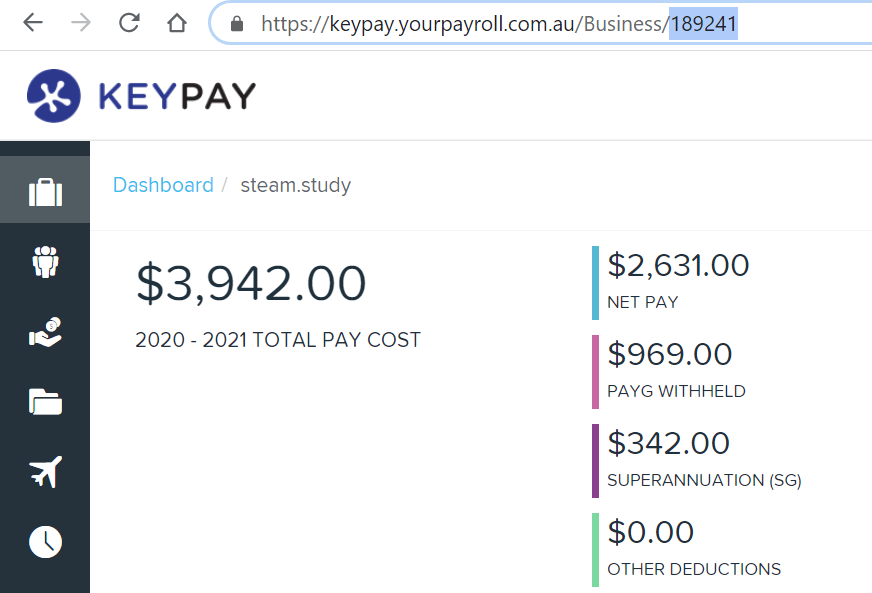
You can choose any openAPPone journal to post the payslip entries.
How does the API work?
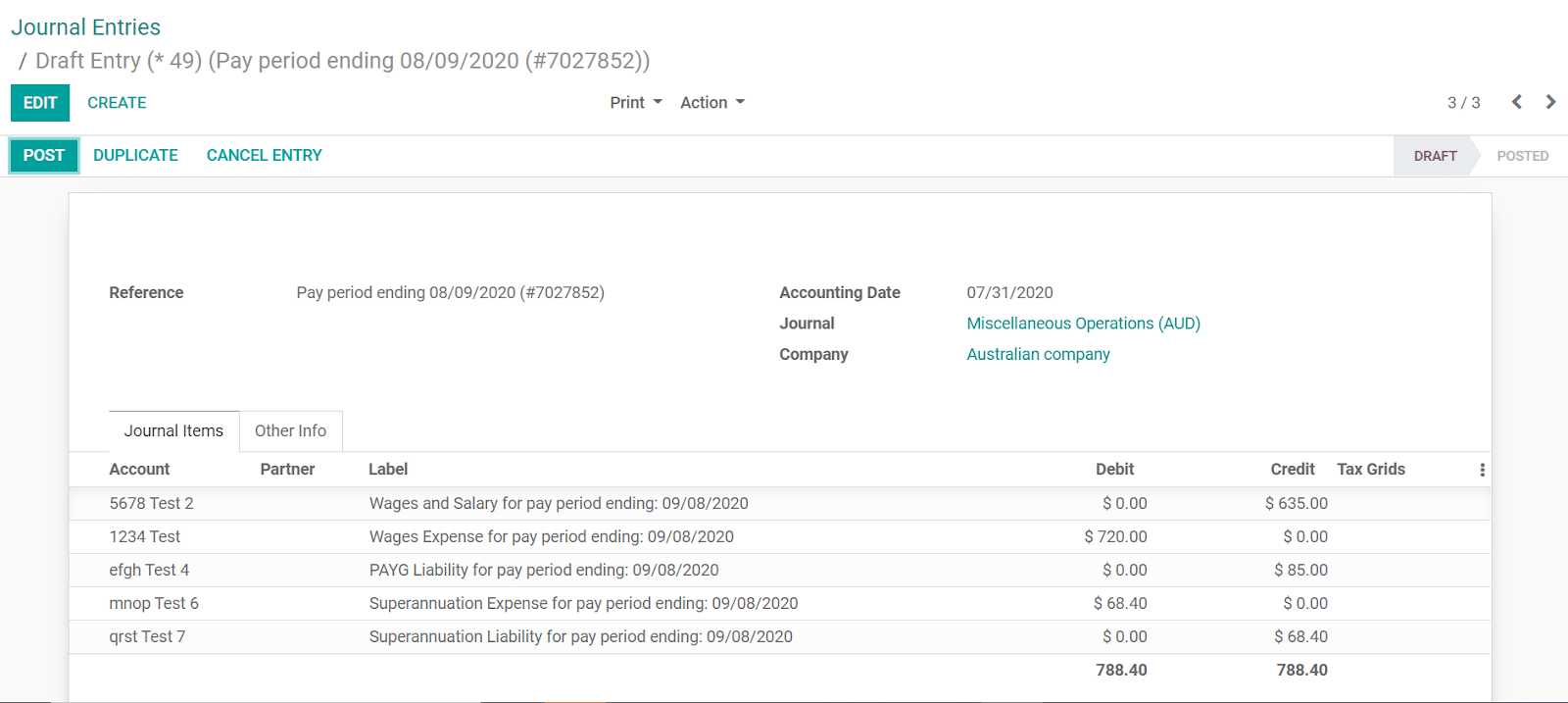
The API syncs the journal entries from KeyPay to openAPPone and leaves them in draft mode. The reference includes the KeyPay payslip entry ID in brackets for the user to easily retrieve the same record in KeyPay and openAPPone.
Note
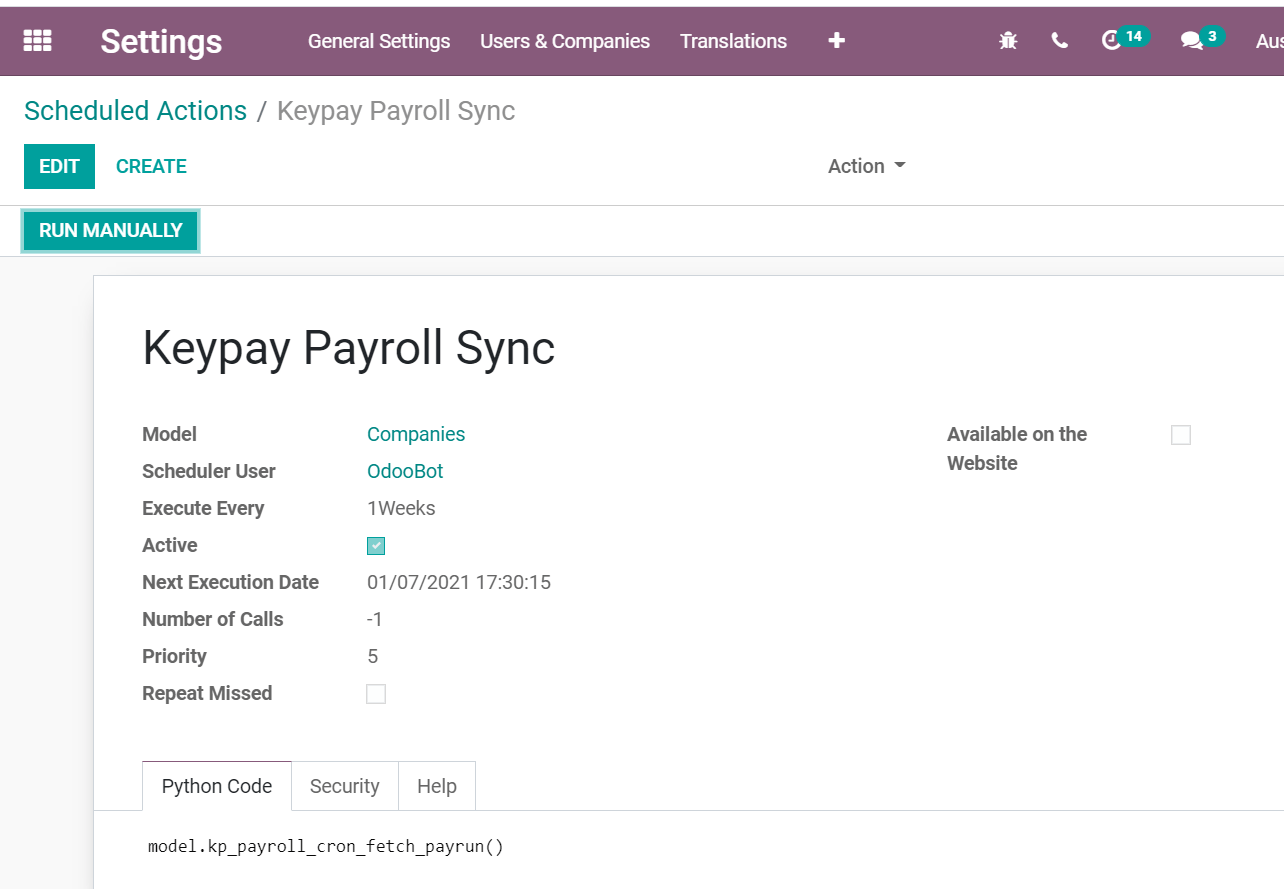
The API sync is triggered by scheduled actions.
KeyPay payslip entries also work based on double-entry bookkeeping. Debit must equal credit (like in openAPPone).
The accounts used by KeyPay are defined in the section Payroll settings.
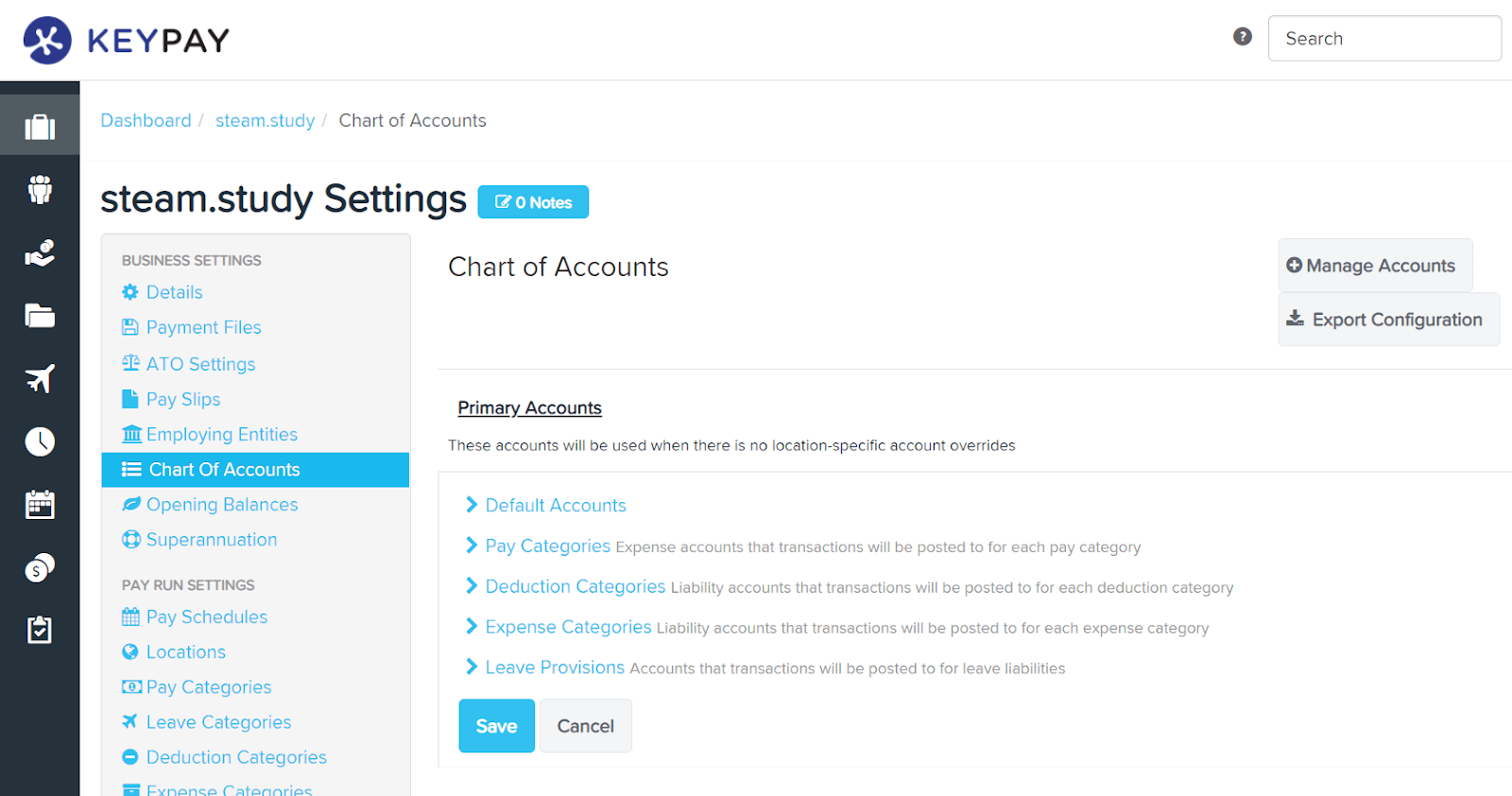
For the API to work, you need to create the same accounts as the default accounts of your KeyPay business (same name and same code) in openAPPone. You also need to choose the correct account types in openAPPone to generate accurate financial reports.